# 弹窗
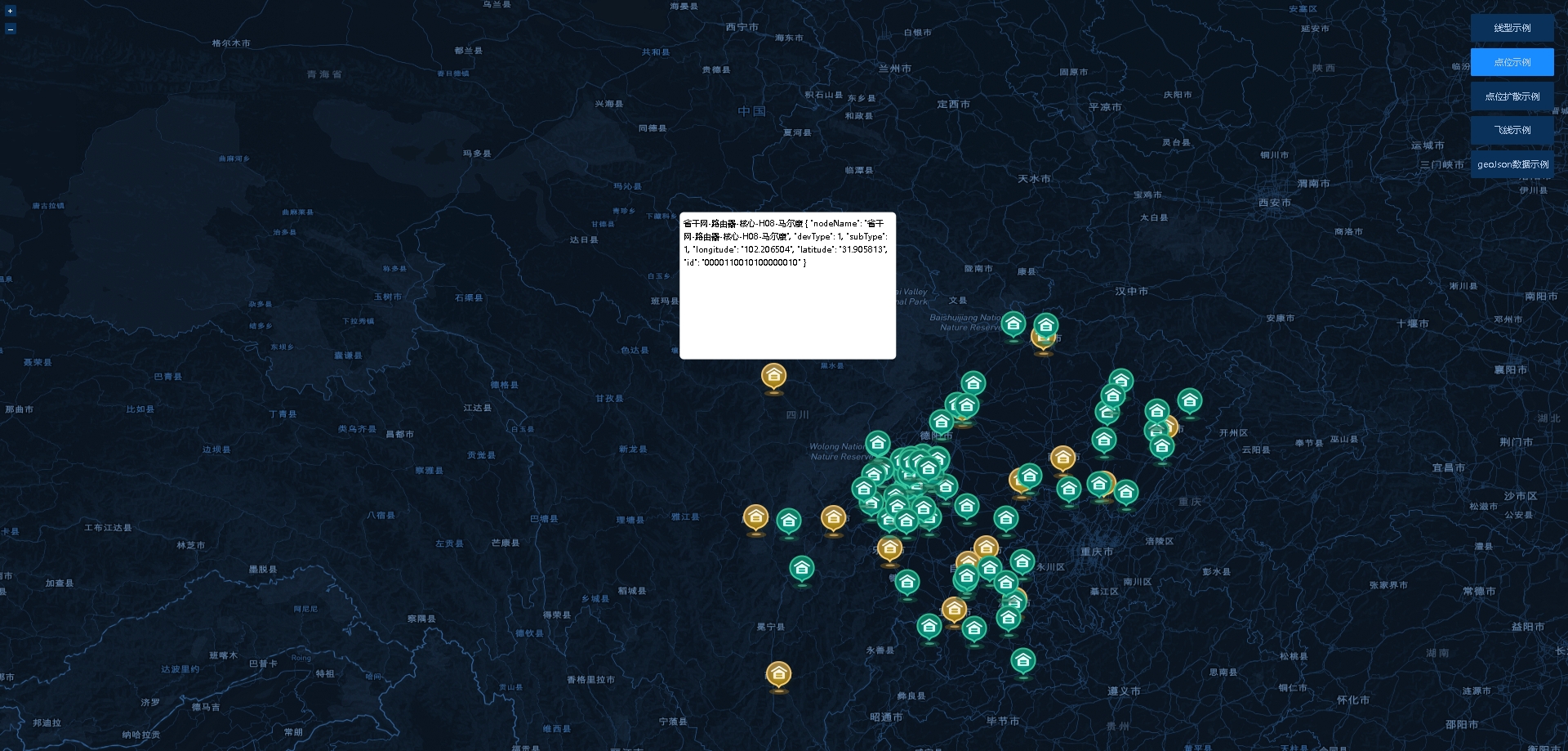
弹窗组件
# 基础示例
<yl-map @handleDownFeatureEvent="handleDownFeatureEvent" ref="map" :mapUrl="mapUrl">
</yl-map>

<div id="popup">
	{{ popupContent }}
</div>

<script>
	export default {
		data() {
			return {
				popupContent: null,
			}
		},
		methods: {
			handleDownFeatureEvent(event) {
				// popup 是弹窗容器的id 可以自己定义名字
				this.$refs.map.showPopup({
					element: document.getElementById('popup'), //弹窗容器的dom对象
					position: event
					.evtCoordinate, //弹窗容器在地图显示的坐标 evtCoordinate是点击处的坐标   event.featureCoordinate 点击元素的坐标
					offset: [5, -20], // 弹窗盒子偏移
					positioning: "bottom-center", // 对齐方式  'bottom-center' 'top-center'
					duration: 250 // 弹窗位于容器外,自动移动到可视区域内,动画时间
				});
			}
		}
	}
</script>
1
2
3
4
5
6
7
8
9
10
11
12
13
14
15
16
17
18
19
20
21
22
23
24
25
26
27
28
29
2
3
4
5
6
7
8
9
10
11
12
13
14
15
16
17
18
19
20
21
22
23
24
25
26
27
28
29
样式示例
# ref方法
| 名称 | 说明 |
|---|---|
| showPopup() | 地图弹窗事件 |
# showPopup
| 属性 | 类型 | 说明 |
|---|---|---|
| element | - | 弹窗容器的dom对象 |
| position | Array | 弹窗容器在地图显示的坐标 evtCoordinate是点击处的坐标 event.featureCoordinate 点击元素的坐标 |
| offset | Array | 弹窗盒子偏移 |
| positioning | String | 对齐方式 'bottom-center' 'top-center' |
| duration | Number | 弹窗位于容器外,自动移动到可视区域内,动画时间 |
← 图层